
How to Clean Your Phone and Keyboard Safely: A Complete Guide
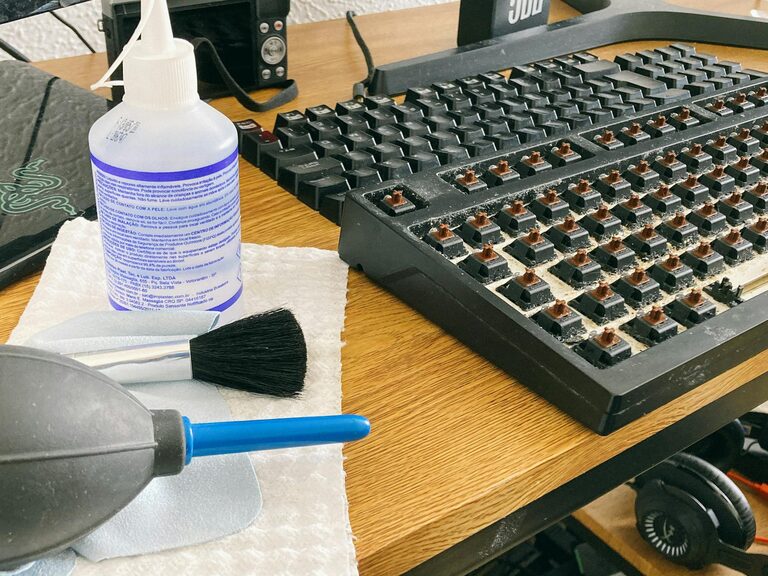
Keeping your phone and keyboard clean is essential for both hygiene and the longevity of your devices. With frequent handling, these gadgets accumulate dirt, oils, and microbes that can affect their appearance and performance. However, cleaning electronic devices requires care to avoid damage. In this guide, we’ll walk you through safe, easy methods to clean your phone and keyboard effectively.
Why Clean Your Phone and Keyboard?
Our daily use exposes phones and keyboards to dust, food particles, sweat, and bacteria. Phones often come close to our faces and hands, while keyboards collect debris from typing and snacking. Regular cleaning:
– Reduces germs and bacteria
– Prevents sticky or unresponsive keys
– Keeps screens clear and responsive
– Extends device lifespan
Knowing how to clean them safely helps avoid accidental damage and ensures these tools stay in top shape.
What You’ll Need
Before starting, gather the following items:
– Microfiber cloths (lint-free)
– Isopropyl alcohol (70% or less) or electronic-safe cleaning wipes
– Cotton swabs or soft brush
– Compressed air can (optional)
– Distilled water
– Small bowl (for mixing solution)
Avoid harsh chemicals like bleach or ammonia and don’t use paper towels, tissues, or abrasive materials.
—
How to Clean Your Phone Safely
Step 1: Power Off and Unplug
Turn off your phone and disconnect any cables. This minimizes the risk of electrical issues while cleaning.
Step 2: Remove Case and Accessories
Take off your phone case, screen protector, or any attachments before cleaning the device itself.
Step 3: Wipe Down the Surface
– Lightly dampen a microfiber cloth with a mix of 50% distilled water and 50% isopropyl alcohol.
– Gently wipe the phone’s screen, back, and sides to remove fingerprints and grime.
– Avoid excess moisture; never spray liquid directly onto the phone.
For phones with waterproof ratings, check the manufacturer’s guidelines before using liquids.
Step 4: Clean Ports and Buttons
Use a dry cotton swab or a soft brush to remove dust from charging ports, headphone jacks, and speaker grills. Avoid inserting anything sharp that could damage components.
Step 5: Dry and Reassemble
Use a dry microfiber cloth to remove any residual moisture. Wait a few minutes for the phone to be completely dry before powering it back on and putting the case back on.
—
How to Clean Your Keyboard Safely
Keyboards can harbor dirt and crumbs between and beneath keys. Here’s the best way to clean them effectively.
Step 1: Unplug or Power Off
For wired keyboards, unplug them. For wireless models, turn them off to avoid accidental input.
Step 2: Remove Loose Debris
– Turn the keyboard upside down and gently shake it to dislodge loose particles.
– Use a can of compressed air to blow away dust from between the keys. Hold the can upright and use short bursts.
Step 3: Wipe the Surface
Dampen a microfiber cloth lightly with a solution of 50% distilled water and 50% isopropyl alcohol. Wipe the keys, keyboard frame, and top surface.
Step 4: Clean Between Keys
Use cotton swabs dipped lightly in the cleaning solution to clean spaces between keys. For sticky keys, gently scrub to remove residue.
Step 5: Deep Cleaning (Optional)
If your keyboard’s keys are removable (check manufacturer’s instructions), carefully pop off the keycaps and clean them separately by soaking in a mild soap solution. Dry thoroughly before reattaching.
Step 6: Dry and Reconnect
Allow the keyboard to air dry completely before plugging it back in or turning it on.
—
Additional Tips for Device Cleaning
– Frequency: Aim to clean your phone and keyboard weekly or when visibly dirty.
– Hand Hygiene: Wash your hands regularly to reduce grime buildup.
– Avoid Eating Nearby: Minimize crumbs and spills by avoiding food near your keyboard and phone.
– Use Screen Protectors and Covers: They can be cleaned or replaced easily, helping protect your devices.
– Store Safely: Keep devices in clean, dry places when not in use.
—
Summary
Cleaning your phone and keyboard doesn’t have to be complicated. With the right materials and careful technique, you can keep your devices looking great and functioning well. Regular maintenance not only improves hygiene but also helps your gadgets last longer.
Follow these simple steps today and enjoy a cleaner, healthier tech experience!