
How to Clean Your Phone and Keyboard Safely and Effectively
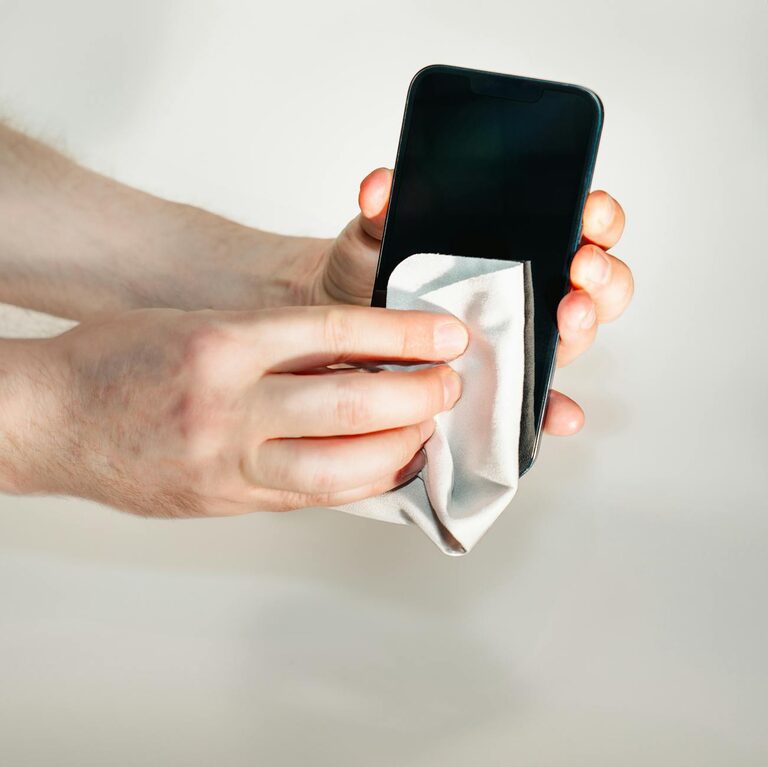
In our daily lives, phones and keyboards are among the most frequently touched objects. Over time, they accumulate dust, dirt, oils, and germs, which can affect their appearance, function, and hygiene. Cleaning these devices properly is important, but it must be done carefully to avoid damage.
In this post, you’ll find clear, safe methods for cleaning your phone and keyboard, using common household items and a few handy tools. Whether you’re looking to remove everyday grime or disinfect your devices, these easy tips will help you maintain your electronics effectively.
—
Why Clean Your Phone and Keyboard?
Phones and keyboards often harbor a large number of germs because of constant contact with our hands and surroundings. Besides hygiene, cleaning also:
– Removes dust and debris that can affect keyboard performance.
– Helps maintain clear phone screens and responsive touch sensitivity.
– Improves the overall look and feel of your devices.
– Extends the lifespan of your electronics by preventing buildup.
Regular cleaning, done correctly, preserves your devices without causing damage.
—
What You’ll Need
Before you start cleaning, gather the following supplies:
– Microfiber cloths (soft and lint-free)
– Isopropyl alcohol (70% or less; do not use higher concentrations)
– Distilled water (tap water can leave mineral deposits)
– Cotton swabs or soft-bristled brushes
– Compressed air can (optional)
– Small bowl or spray bottle for mixing solutions
– Toothpick or plastic tool (for stubborn dirt between keys, optional)
Avoid harsh chemicals, bleach, or abrasive materials as they can damage screens, coatings, or key markings.
—
How to Clean Your Phone Safely
Phones have sensitive screens and electronic components, so careful cleaning is key.
Step 1: Power Off and Unplug
Always turn off your phone and unplug it from any chargers or accessories before cleaning. This prevents accidental damage or short circuits.
Step 2: Remove Cases and Accessories
Take off any phone cases, screen protectors, or external accessories for separate cleaning.
Step 3: Prepare a Cleaning Solution
Mix equal parts distilled water and 70% isopropyl alcohol in a small spray bottle or bowl. Avoid using only water or straight alcohol.
Step 4: Clean the Screen
– Lightly dampen a microfiber cloth with the solution (do not soak it).
– Gently wipe the screen in smooth, circular motions.
– Avoid spraying the solution directly on the phone to prevent moisture seeping into openings.
Step 5: Clean the Body and Buttons
Using the same cloth or a cotton swab dipped lightly in the solution, clean the phone’s back, sides, and buttons. Be gentle around ports and openings.
Step 6: Dry and Reassemble
Use a dry microfiber cloth to wipe away any moisture. Let the phone air dry for a few minutes before turning it back on and reattaching cases.
Tips for Extra Care
– Use screen protectors to reduce dirt buildup on the screen.
– Avoid excessive moisture or harsh chemicals.
– Clean your phone regularly to prevent grime buildup.
—
How to Clean Your Keyboard Safely
Keyboards collect dust, crumbs, oils, and germs, especially in between keys. Cleaning helps computers run smoothly and keeps your workspace hygienic.
Step 1: Unplug or Turn Off Your Keyboard
If using a detachable keyboard, unplug it. For laptops, shut down your computer.
Step 2: Shake or Tap Out Loose Debris
Turn the keyboard upside down and gently shake it to dislodge loose particles. You can also use compressed air to blow debris from between keys.
Step 3: Clean the Surface and Keys
– Lightly dampen a microfiber cloth with a mixture of distilled water and a small amount of mild soap or isopropyl alcohol (up to 70%).
– Wipe the keys and surface with the cloth.
– For sticky or stubborn dirt, use a cotton swab moistened with the solution to target tight spaces.
Step 4: Use Tools for Deep Cleaning (Optional)
– Carefully use a toothpick or a soft brush to remove dirt stuck between keys.
– For mechanical keyboards, you can remove keycaps (if designed to be removed) and clean separately with warm soapy water. Let thoroughly dry before reassembling.
Step 5: Dry Thoroughly
Wipe with a dry microfiber cloth to remove moisture. Let the keyboard air dry fully before plugging it back in or turning on.
—
Additional Tips for Maintaining Clean Devices
– Wash your hands before using devices to reduce transfer of oils and dirt.
– Use keyboard covers or phone cases that are easy to clean.
– Regularly wipe down devices to prevent buildup, ideally weekly or as needed.
– Avoid eating directly over your keyboard or phone.
– Store devices in clean, dust-free areas.
—
Summary
Keeping your phone and keyboard clean is simple and beneficial for device performance and personal hygiene. Use gentle cleaning solutions, soft cloths, and take care to avoid excess moisture. With regular maintenance, your gadgets will look better, function reliably, and last longer.
Try these safe cleaning steps today for a healthier, more pleasant tech experience!